How to Get a Norwegian IP Address (And Why You Actually Need One

Have you ever wondered how the internet seems to know exactly where you are? You might be sitting in a cozy café in Paris, scrolling through your phone, and suddenly every ad on every website is about French baguettes and local Bordeaux wines. Or worse: you try to catch up on your favorite show from back home, only to be greeted by a digital “Keep Out” sign.

This is all thanks to your IP address. If you want to bypass these digital borders and browse like a local, you need a way to “teleport” yourself back to Norway. Here is the lowdown on how to get a Norwegian IP address, no matter where in the world you actually are.


What Exactly Is an IP Address?

Think of an IP address as the internet’s version of a return address on an envelope. Every time you connect to the web, your device is assigned a unique string of numbers (like 192.168.1.1 or something much more complex).

This address tells websites two very specific things:

  1. Who you are (digitally): So the server knows where to send the data you requested.
  2. Where you are (geographically): It reveals your approximate location, often down to the city level.

When you type nrk.no into your browser, NRK looks at your IP address. If your address says “Oslo,” you’re welcomed with open arms. If it says “New York” or “London,” the door is bolted shut. This is where the frustration begins.


Why You Might Need a Norwegian IP Abroad

There are plenty of reasons why you might feel digitally stranded the moment you cross the border. Here are the most common scenarios:

1. The NRK and TV2 Play Crisis

This is the big one. Many travelers run into major hurdles when they are on vacation and want to watch NRK live from abroad. The same goes for TV2 Play. Without a Norwegian IP, you are often blocked from watching sports, news, or Norwegian dramas due to licensing restrictions.

2. The Peppa Pig Emergency (The Netflix Glitch)

Imagine you’ve taken the kids to the States. They are tired, jet-lagged, and just want to watch Peppa Pig on Netflix with Norwegian voices before bed. You open the app, but—disaster!—only the English version is available. Netflix shows you the library for the country you are in. With a Norwegian IP, you “trick” Netflix into thinking you’re back on your sofa in Norway, and just like that, the Norwegian dubbing returns and family peace is restored.

3. Gaming and Regional Servers

For gamers, a Norwegian IP can be vital for accessing specific local servers, reducing “ping” (lag) when playing against friends in Norway, or participating in regional tournaments that are locked to Norwegian residents.

4. Private Networks and Local Content

Some Norwegian newspapers have geo-blocked content, and certain corporate networks or school portals require a Norwegian connection for their security systems to let you through.


The Solution: PureVPN

So, how do you actually change your digital location? The answer is a VPN (Virtual Private Network). Our top recommendation is PureVPN.

In the tech world, longevity equals trust. PureVPN has been around for over 15 years, which is practically ancient in the VPN business. They’ve survived and thrived by being consistently reliable.

Why Choose PureVPN?

  • Solid Reputation: With over a decade and a half of experience, they know exactly how to stay one step ahead of streaming blocks.
  • Massive Network: They have thousands of servers worldwide, including high-speed options in Norway (Oslo).
  • Risk-Free Trial: They offer a 31-day full refund policy. You can literally use it for your entire vacation, and if you aren’t happy, you get your money back.
  • Compatible with Everything: They have dedicated apps for Windows, Mac, Android, iOS (iPhone/iPad), and even Smart TVs. If you don’t want to install an app, they have simple browser extensions for Chrome and Firefox.
  • Multiple Connections: You can use one account on multiple devices at once. Dad can watch the news on the laptop while the kids watch Peppa Pig on the tablet.

More Than Just TV: Staying Safe on Public Wi-Fi

While most people grab a Norwegian IP to watch TV, you’re also getting a massive security upgrade. This is the “hidden” benefit of a VPN: Encryption.

When you travel, you likely use open Wi-Fi networks at airports, hotels, and cafes. These networks are notoriously insecure. A “sniffer”—a hacker lurking on the same network—can easily intercept your data, see your passwords, or monitor your browsing.

When you connect to PureVPN, all your traffic is sent through a secure “VPN tunnel.” Your data is encrypted and becomes unreadable to anyone else. It’s like sending your internet traffic in an armored car. This is a must-have if you’re checking your bank account or logging into social media while sitting in a foreign hotel lobby.


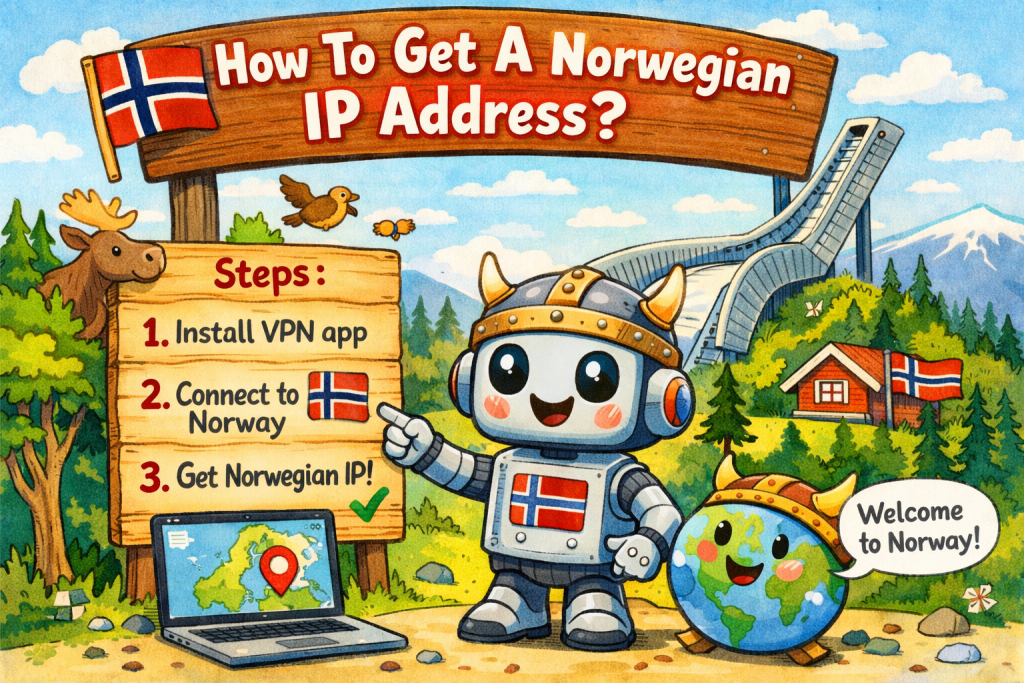
How to Get Started (Step-by-Step)

Setting this up is surprisingly laidback. You don’t need to be a computer whiz to make it happen:

  1. Head over to the PureVPN website and pick a plan.
  2. Download the app for your device.
  3. Log in and search for “Norway” in the server list.
  4. Hit “Connect.”
  5. Success! You now have a Norwegian IP address. You can open NRK, Netflix, or your local banking app and be treated like you never left home.

Summary

An IP address is the internet’s way of keeping tabs on you, but it shouldn’t limit your freedom. Whether you’re desperate for Norwegian news, need Peppa Pig in the right language for the kids, or just want to browse securely on sketchy hotel Wi-Fi, a Norwegian IP is the key.

With a service like PureVPN, you get your entertainment back and your privacy secured. It’s a small investment for a much smoother digital life while traveling.

Are you ready to set up your digital “tunnel” back to Norway?
How to Watch NRK Live Stream from Abroad (Yes, Even When NRK Says “Nope”)

If you have ever spent a lonely evening in a hotel room in London or an apartment in New York, desperately craving a dose of Nytt på nytt, the soothing sounds of Sakte-TV, or the high-octane drama of a World Cup cross-country sprint, you know the pain. You open the NRK TV app, click play, and then it happens.

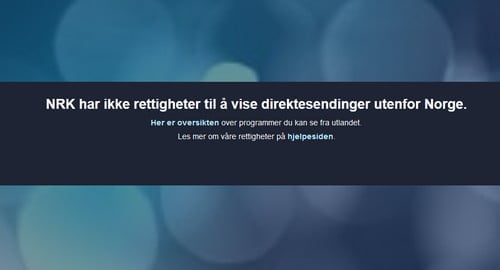
The “Blue Screen of Rejection.” The message that politely, yet firmly, informs you that “NRK har ikke rettigheter til å vise dette programmet utenfor Norge.” (NRK does not have the rights to show this program outside Norway).

It feels like a personal snub. You pay your taxes (or you’ve spent enough money on brown cheese to deserve a pass), yet NRK acts like you’re a stranger just because you crossed the border. But don’t pack your bags and head for Gardermoen just yet. You can bring a piece of Norway with you, wherever you are.


Why NRK Is Worth the Trouble

NRK isn’t just a TV channel; for many, it’s the digital heartbeat of Norway. Whether it’s the legendary coverage of the Winter and Summer Olympics, the FIFA World Cup, or the nail-biting excitement of the Biathlon World Championships, NRK is where Norway gathers.

Beyond sports, NRK produces some of the highest-quality drama and journalism in the world. From the groundbreaking teen realism of SKAM to the high-stakes financial thriller Exit, or the essential daily updates from Dagsrevyen, NRK provides a sense of home. For Norwegians abroad, it’s a way to keep the language alive; for Norway-lovers, it’s a window into the culture.

The problem is that “window” has a very thick, geo-blocked shutter.


The Quick Fix: How to Stream NRK Right Now

If the 50km cross-country race is starting in exactly four minutes and you don’t have time for a lecture on internet protocols, here is your “emergency” solution.

To bypass the block, you need a VPN that actually works with Norwegian streaming services. We recommend PureVPN for its speed and reliable Norwegian servers.

5 Steps to Watching NRK from Abroad:

  1. Visit the PureVPN website via this link: Get PureVPN Now.
  2. Purchase a subscription (they offer a 31-day money-back guarantee, so it’s risk-free).
  3. Download and install the app on your device (Phone, Tablet, or Laptop).
  4. Open the app and connect to a Norwegian server (usually located in Oslo).
  5. Open NRK TV (web or app) and start streaming like you’re sitting on your sofa in Grünerløkka.

The Science of “Nope”: Why NRK Blocks You

Why is NRK being so difficult? It’s not because they don’t like you. It’s all about licensing.

When NRK buys the rights to show the Olympics or a Hollywood movie, they usually only buy the rights to show it to people inside the borders of Norway. To enforce this, NRK uses a system called geo-blocking.

Every time you connect to the internet, your device is assigned an IP address. Think of this as your digital home address. If your IP address says “Barcelona” or “Tokyo,” NRK’s servers see that, realize you are outside the “safe zone,” and instantly trigger the error message. It’s cold, it’s robotic, and it’s incredibly annoying when you’re mid-season in your favorite show.


How a VPN Solves the Problem (The “VPN Tunnel”)

A VPN (Virtual Private Network) is essentially a digital disguise. When you use a VPN, you aren’t connecting directly to NRK. Instead, your internet traffic travels through a secure, encrypted “VPN tunnel” to a server located in another country—in this case, Norway.

When your traffic pops out of that server in Norway and heads over to NRK, the broadcaster looks at your request and thinks: “Ah, look at this person! They have a perfectly lovely Norwegian IP address. Welcome in!”

By using this method, you can effectively get a Norwegian IP address regardless of where you actually are in the physical world.


Why We Recommend PureVPN for NRK

Not all VPNs are created equal. Some are too slow for high-definition sports, and others are easily detected and blocked by NRK’s security systems.

PureVPN stands out for a few specific reasons:

  • Norwegian Server Density: They have dedicated servers in Oslo, which is crucial for a stable connection.
  • High Speed: Watching the Olympics in 480p is a tragedy. PureVPN offers the bandwidth needed for 4K and HD streaming.
  • Ease of Use: You don’t need to be a computer whiz. You click a button that says “Norway,” and you’re done.
  • Privacy: It uses high-level encryption, meaning your browsing remains private and secure from hackers on public Wi-Fi (like at airports or cafes).

Watching NRK from Anywhere: Barcelona to Tokyo

The beauty of this setup is that it makes borders irrelevant.

  • In Spain? You can watch the 17th of May celebrations live while sitting on the beach.
  • In the US? You can keep up with Mesternes Mester without waiting for clips to show up on YouTube.
  • In Asia? You can watch the morning news while everyone back home is sleeping.

It covers both Live Stream (live TV) and the entire On-Demand library. So, whether you want to watch the news as it happens or binge-watch a documentary series from three years ago, the VPN has you covered.


Is It Legal and Safe?

This is a common question. Using a VPN is completely legal in the vast majority of countries (including Norway, the EU, and the US). While using a VPN to bypass geo-blocks might technically go against the “Terms of Service” of some streaming platforms, it is not a criminal offense.

From a safety perspective, using a reputable VPN like PureVPN actually increases your security. It masks your real location and encrypts your data, which is a smart move whenever you are traveling and using unfamiliar Wi-Fi networks.


Final Thoughts: Bringing Home With You

NRK is more than just a broadcaster; for Norwegians and those who love Norway, it’s a piece of the national identity. It’s the sound of the commentators during a winter sports weekend, the familiar faces on the evening news, and the specific Norwegian humor that doesn’t quite translate anywhere else.

Being abroad shouldn’t mean being cut off from home. With a simple tool like a VPN, you can jump over the digital fences and stay connected to the culture, the language, and the sports that matter to you.

So, the next time NRK tells you “Nope,” you can just smile, click “Connect,” and enjoy the show.